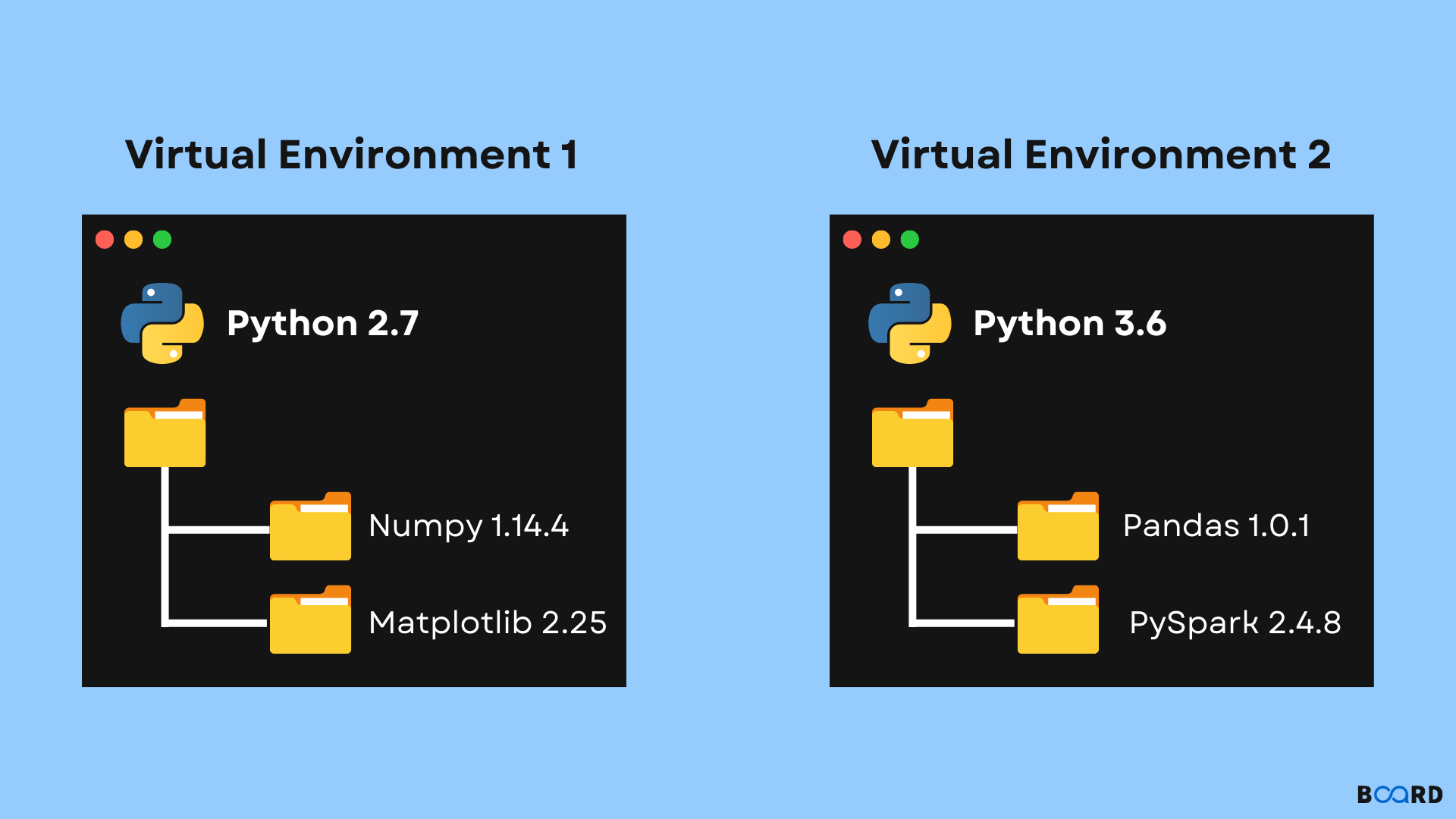
Virtual env in python
-
 Amrit Panta
- June 11, 2023, 9:14 a.m.
In Python, a virtual environment is a self-contained directory that contains a specific Python installation along with its own set of packages. It allows you to create isolated environments for different projects, each with its own dependencies, without interfering with the global Python installation on your system.
Here are the basic steps to set up and use a virtual environment in Python:
-
Create a virtual environment: Open your terminal or command prompt and navigate to the directory where you want to create the virtual environment. Then, run the following command:
python -m venv myenvThis will create a new directory called
myenv, which will serve as the virtual environment. -
Activate the virtual environment: Depending on your operating system, the command to activate the virtual environment may vary:
-
Windows: Run the following command:
myenv\Scripts\activate -
macOS/Linux: Run the following command:
source myenv/bin/activate
After activation, you'll notice that your terminal prompt changes to indicate that you are now working within the virtual environment.
-
-
Install packages: Once your virtual environment is active, you can install packages using
pip, just like you would in a regular Python environment. For example, to install therequestspackage, you can run:pip install requestsThe packages you install in the virtual environment will be isolated from your global Python installation.
-
Run Python scripts: You can now run Python scripts within the virtual environment, and they will have access to the packages installed in that environment.
-
Deactivate the virtual environment: When you're done working in the virtual environment, you can deactivate it by running the following command:
deactivateThis will restore your system's default Python environment.
By using virtual environments, you can maintain separate sets of dependencies for different projects, ensuring that each project has its own isolated environment. It also allows for easier package management and avoids conflicts between different versions of packages.